Learn
Last updated April 9, 2026
How to make AI influencers
without turning the workflow brittle
If you are searching for how to make AI influencers, the practical job is not to generate one attractive virtual face. It is to build a creator system that can hold together across stills, short videos, reviews, and handoff. That is where an agent plus AnyCap image generation, video generation, and visual QA can do something more useful than a one-screen influencer app.
Answer-first summary
The strongest AI influencer workflow is a staged one. Generate a stable identity first. Turn that still into a persona pack. Promote only the best stills into image-to-video. Then inspect the results before you hand them off. AnyCap is useful here because the agent can keep those layers inside one capability surface instead of bouncing between disconnected generators and manual QA steps.
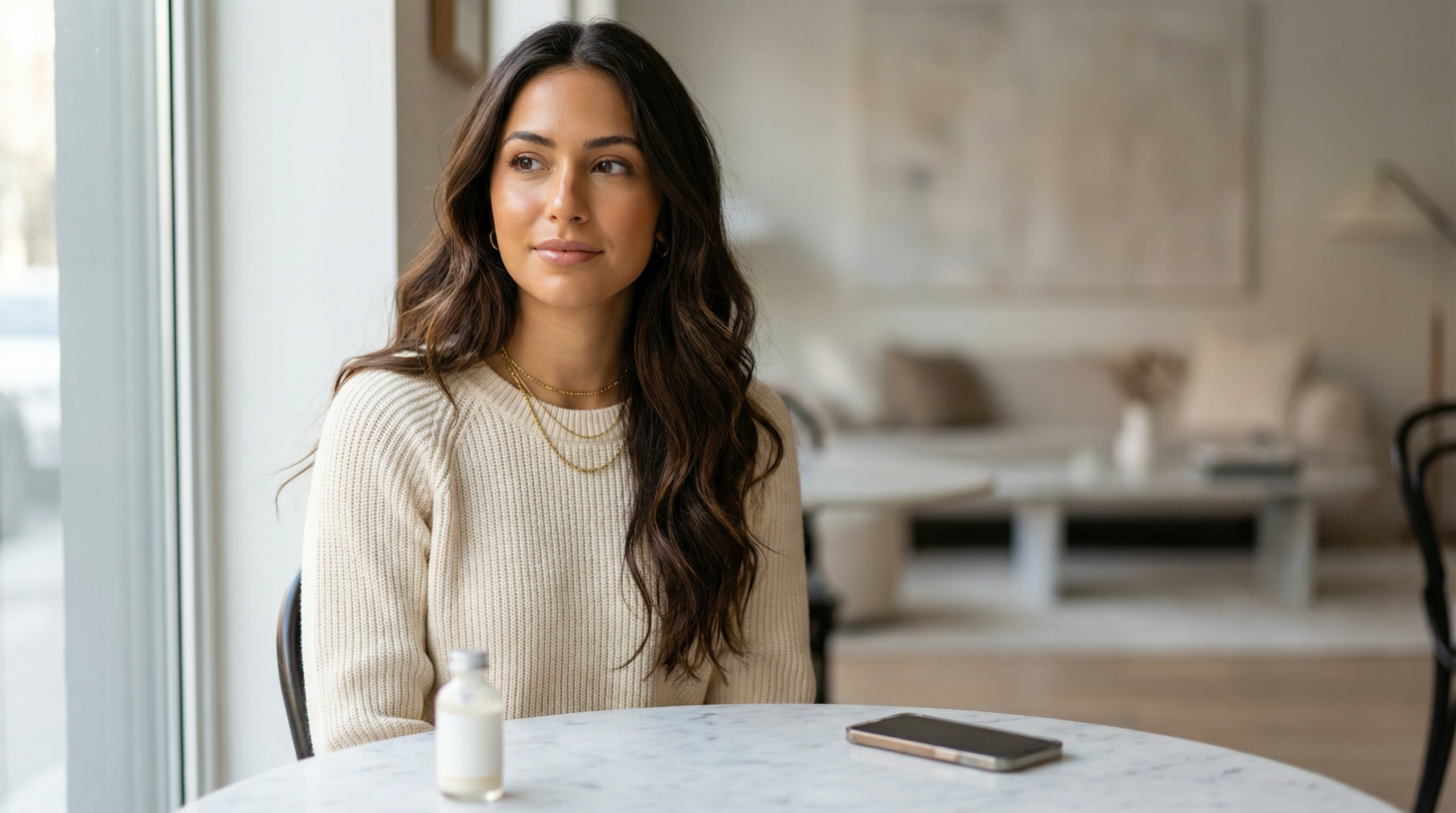
This hero image shows the page's core claim in one frame: the creator identity should already feel believable before the workflow branches into more scenes, more crops, or motion.
Generated proof
The persona should survive real UGC actions
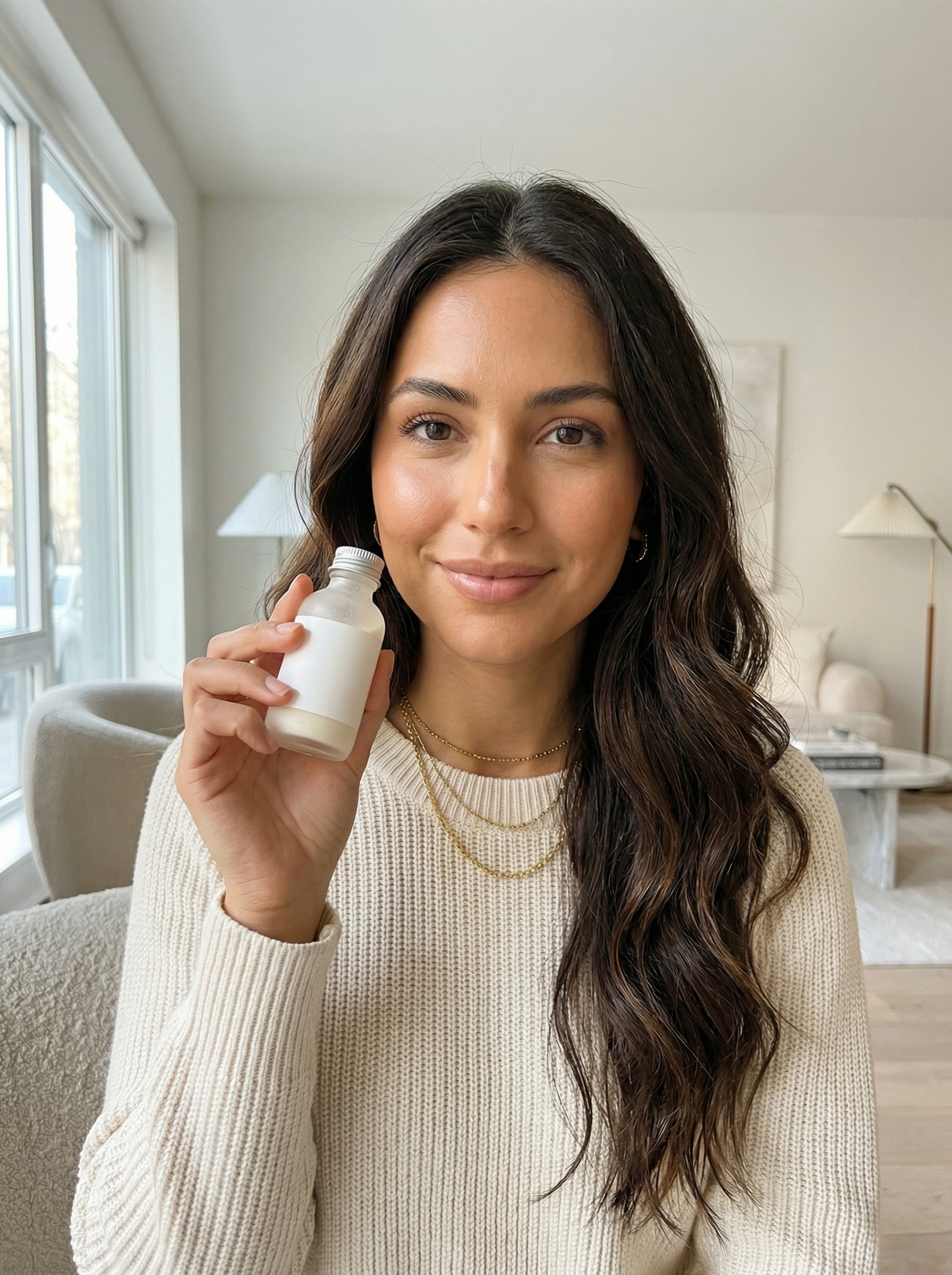
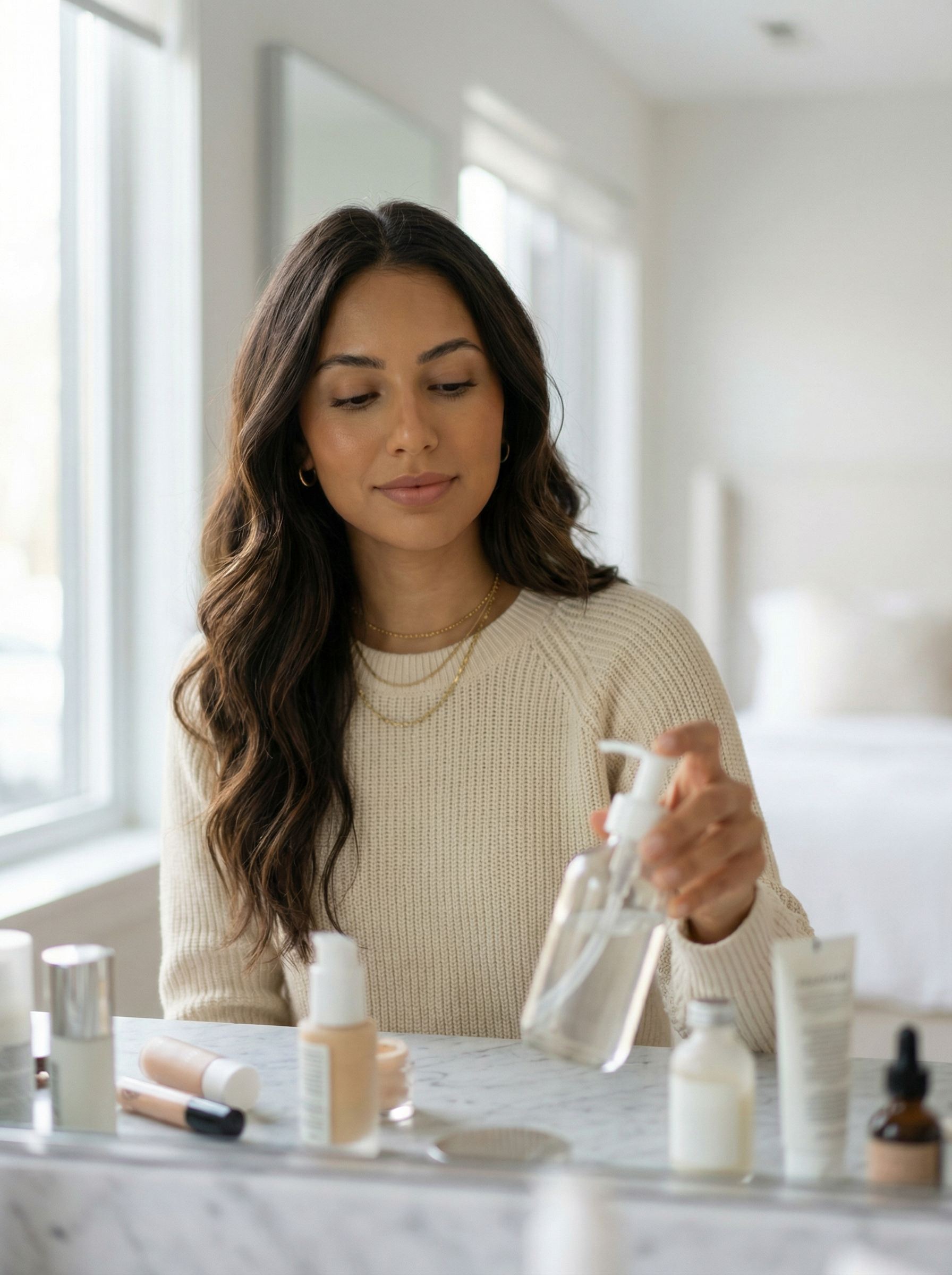
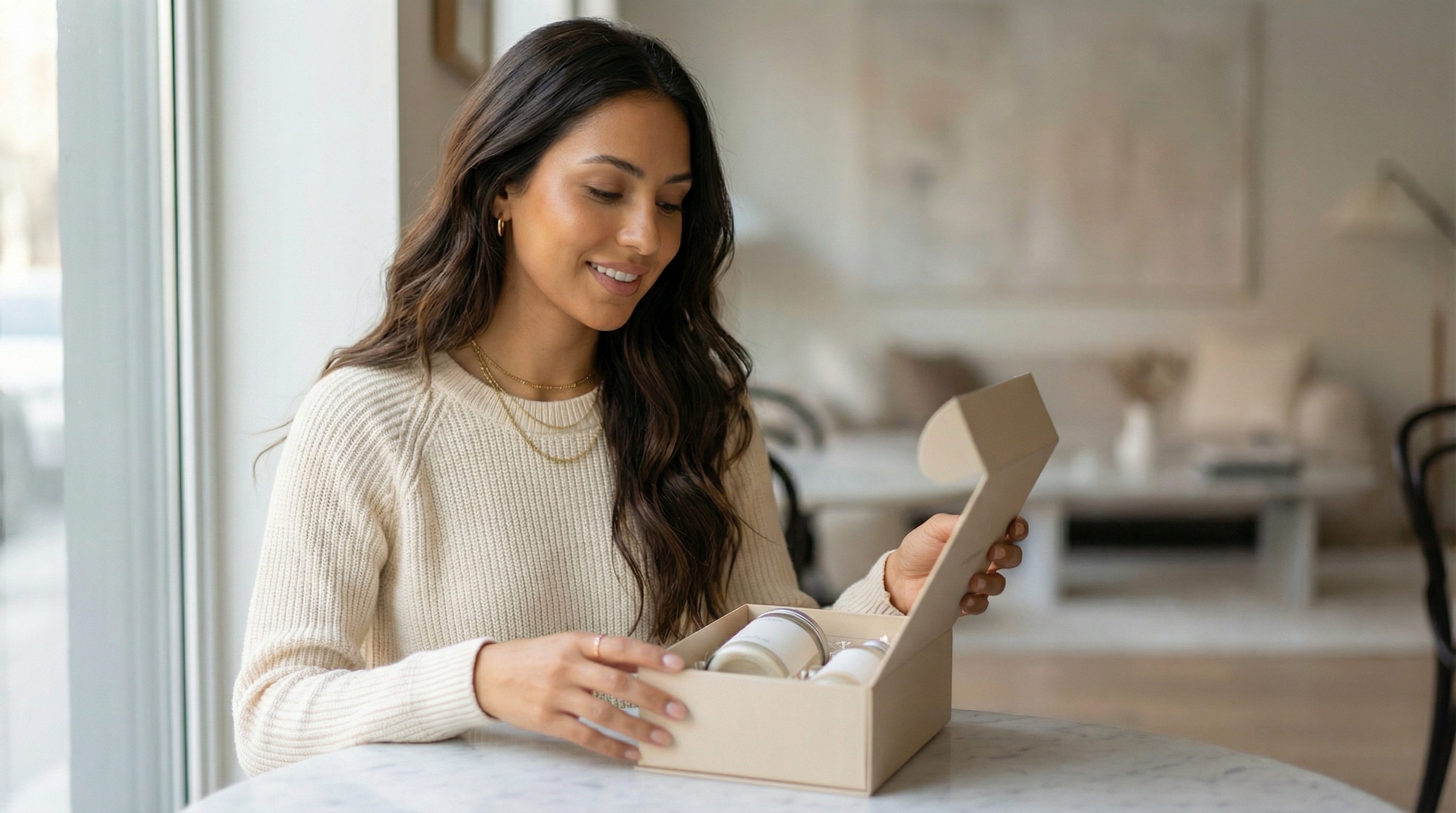
One polished portrait is not enough. We used the hero identity as the reference anchor and branched into product-hold, vanity, and unboxing actions to test whether the same creator still reads like the same person in commerce-style content.
Product hold
Vanity demo
Desk unboxing
Persona-pack prompt shape
preserve the same fictional beauty influencer identity from the hero image, then branch into believable UGC actions: product hold, vanity demo, and desk unboxing without losing the same face shape, warm tan complexion, espresso-brown waves, soft glam makeup, gold jewelry, or premium lifestyle styling. Keep the products unlabeled, the hands natural, and the lighting photoreal.
Why this proof matters
- The same face, hair, jewelry, and sweater styling hold together across three different creator-commerce actions.
- The images pressure-test the workflow where AI influencer projects usually break first: bottles, hands, props, and lived-in product context.
- This is closer to real UGC usage than a single hero portrait because the creator is interacting with objects instead of only posing.
These follow-up stills matter because influencer content rarely lives as one hero shot. If the face shifts, the hands break, or the products turn into gibberish as soon as a bottle enters frame, the workflow is not reusable yet.
Quick answer
Build the persona system first
When people say they want an AI influencer, they often mean four different jobs at once: identity design, content variation, short-form motion, and delivery. The cleanest workflow separates those layers so the agent can keep the strongest asset moving forward instead of constantly regenerating the whole concept from zero.
- The useful question is not how to generate one fake profile photo. It is how to build a reusable virtual creator system.
- The best AnyCap workflow starts with still-image identity work, then branches into scene packs, motion variants, and quality checks instead of treating every prompt like a fresh start.
- AnyCap matters here because the agent can generate, inspect, animate, and deliver assets without collapsing back into a pile of disconnected tools.
Workflow
Five steps from first still to reusable creator workflow
Step 1
Define the persona before you chase scenes
Lock the identity first: face, styling range, brand tone, and the kind of niche this creator represents. A weak identity multiplies drift later.
Step 2
Generate the first strong still
Use a text-to-image pass when you are starting from zero, or an image-to-image pass when you already have a reference you want to preserve more tightly.
Step 3
Turn one still into a persona pack
Branch the winning identity into several repeatable looks: a clean portrait, a casual selfie frame, and at least one campaign or product context.
Step 4
Animate only the stills that already work
Treat image-to-video as a second step. The strongest influencer videos usually come from a still that already looks publishable before motion is added.
Step 5
Inspect and hand off the output
Use image or video reading to catch visible text drift, weak framing, or wrong product context, then keep the file reusable for review, sharing, or page publishing.
Persona pack, not one prompt
The output should hold together across multiple scenes and crop ratios. A one-off pretty image is not enough to support a creator identity.
Motion is a branch, not the starting point
If the still does not work, the video usually gets worse. Start with a frame that already feels usable for profile, thumbnail, or promo use.
QA is part of the workflow
The agent can inspect whether the image drifted, whether labels became readable gibberish, or whether a product shot no longer matches the page promise.
Delivery matters after generation
A workflow only becomes operational when the result is easy to review, reuse, and publish instead of living as one more random download on disk.
First-hand validation
What we checked before recommending this workflow
Capability surface confirmed
A live AnyCap status check on April 9, 2026 confirmed image generation, image editing, image reading, video generation, video reading, Drive, Page, and web retrieval were available in the current environment.
Schema checked
Nano Banana 2, Nano Banana Pro, and Seedance 1.5 Pro were checked against the live schema before drafting this page so the example commands use the current parameter shape.
Hero image generated
The lead visual for this page was regenerated through Nano Banana in a realistic direction rather than through a stylized board or illustration workflow.
Hero image inspected
Image reading confirmed the current hero image reads like a realistic creator workflow asset and does not contain visible text or a watermark.
Model choice
Choose the model by role in the pipeline
Best first realistic still
Nano Banana Pro
Use this when the identity has to feel stable from the start and you want the strongest realistic creator portrait or reference-preserving branch.
Best for realistic iteration speed
Nano Banana 2
Use this when you want to test multiple realistic looks, angles, and scene directions quickly before promoting the winner into video.
Best next motion step
Seedance 1.5 Pro
Use this when the persona still already works and you want a controlled image-to-video pass instead of jumping straight into text-to-video drift.
Comparison
One-click generator vs agent plus AnyCap
| Lens | One-click generator | Agent plus AnyCap |
|---|---|---|
| What gets optimized first | You start with a flashy output and hope the identity survives later edits. | You lock the persona system first, then branch into scenes, crops, and motion from the same identity anchor. |
| How video gets made | You ask for a final video immediately and accept whatever identity drift shows up. | You promote the strongest still into image-to-video so the motion layer starts from a stable visual reference. |
| Quality control | The workflow ends when the render finishes. | The agent inspects the output before handoff and can catch bad text, wrong products, or scene drift. |
| Reusability | Every deliverable behaves like a new prompt from zero. | The influencer becomes a reusable asset pack that can feed more content, more channels, and more reviews. |
Command examples
The workflow in commands
Generate the first influencer still
anycap image generate \
  --model nano-banana-pro \
  --prompt "fictional virtual creator, realistic lifestyle-influencer portrait, premium soft lighting, natural skin texture, brand-safe styling, direct-to-camera confidence, realistic camera depth, no readable text, no watermark" \
  --param aspect_ratio=4:3 \
  --param resolution=2k \
  -o influencer-first-still.png
Generate a second realistic variant fast
anycap image generate \
  --model nano-banana-2 \
  --prompt "same fictional creator archetype, realistic casual selfie-style portrait, warm indoor lighting, creator-home background, social-ready framing, natural facial detail, no readable text, no watermark" \
  --param aspect_ratio=4:3 \
  --param resolution=2k \
  -o influencer-selfie-variant.png
Refine the winning still while preserving identity
anycap image generate \
  --model nano-banana-pro \
  --mode image-to-image \
  --prompt "preserve the same fictional creator identity, make the portrait more realistic, refine skin texture and lighting, keep the face stable, shift into a casual phone-selfie scene, no readable text, no watermark" \
  --param images=./influencer-first-still.png \
  --param aspect_ratio=4:3 \
  --param resolution=2k \
  -o influencer-refined-still.png
Animate the still into a short video
anycap video generate \
  --model seedance-1.5-pro \
  --mode image-to-video \
  --prompt "subtle creator-style hand motion, direct-to-camera delivery, natural head movement, premium social-video energy, keep the identity stable, no text overlays" \
  --param images=./influencer-refined-still.png \
  --param aspect_ratio=9:16 \
  --param duration=5 \
  --param resolution=720p \
  -o influencer-short.mp4
QA the still or video before handoff
anycap actions image-read \
  --file ./influencer-refined-still.png \
  --instruction "Describe the creator, say whether the identity still matches the original still, and mention any visible text or watermark."
FAQ
Common questions before you build the first creator
What is the biggest mistake people make when they try to build an AI influencer?
They treat the job like a single image prompt. A usable AI influencer is a repeatable persona system: identity, scene variants, motion variants, quality checks, and delivery handoff.
Do I need a dedicated AI influencer platform first?
Not always. If the real goal is to create the persona, test visual directions, animate the strongest stills, and keep the assets reusable, an agent plus AnyCap is often the cleaner starting workflow.
Which AnyCap model should I try first?
Use Nano Banana Pro when you already have a source image or persona reference to preserve, Nano Banana 2 when you want to explore realistic still variants quickly, and Seedance 1.5 Pro only after one of those stills already works.
Can AnyCap handle voice for AI influencer videos too?
The strongest public AnyCap workflow today is the visual layer: still creation, video generation, and output inspection. If narration matters, treat voice as a separate post-production layer instead of forcing it into the first visual pass.
Next step
Branch into the narrow workflow you actually need
Create AI Influencer for Free
Use this supporting page when the main question is how to test persona directions cheaply before you commit to a bigger content loop.
How to Make AI Influencer Videos
Move here when the still is already working and the next job is short-form motion, not another static portrait.
AI Video Generator from Image
Use this workflow page when the broader task is image-to-video consistency beyond the influencer niche alone.
What Is an AI Influencer?
Read the explainer when you want the operational definition before you decide which workflow branch to build first.
Install AnyCap
Go here when you want the shortest path from this article into a working CLI setup.
Image Generation
See the capability surface that handles the first stills, persona variants, and scene branching in this workflow.