Model · Updated October 13, 2026
Nano Banana Pro (Gemini) for AI agents
Nano Banana Pro is Google's Gemini 3 Pro Image model. AnyCap exposes text-to-image and image-to-image generation through its HTTP API and CLI. For a revision, supply your existing image and an edit instruction, save the returned output, then compare both files before using the result.
Generated example
Before-and-after proof for the revision workflow
This published example starts from a Nano Banana 2 draft and uses Nano Banana Pro to revise its background, composition and lighting. Compare the device itself as well as the surrounding scene.

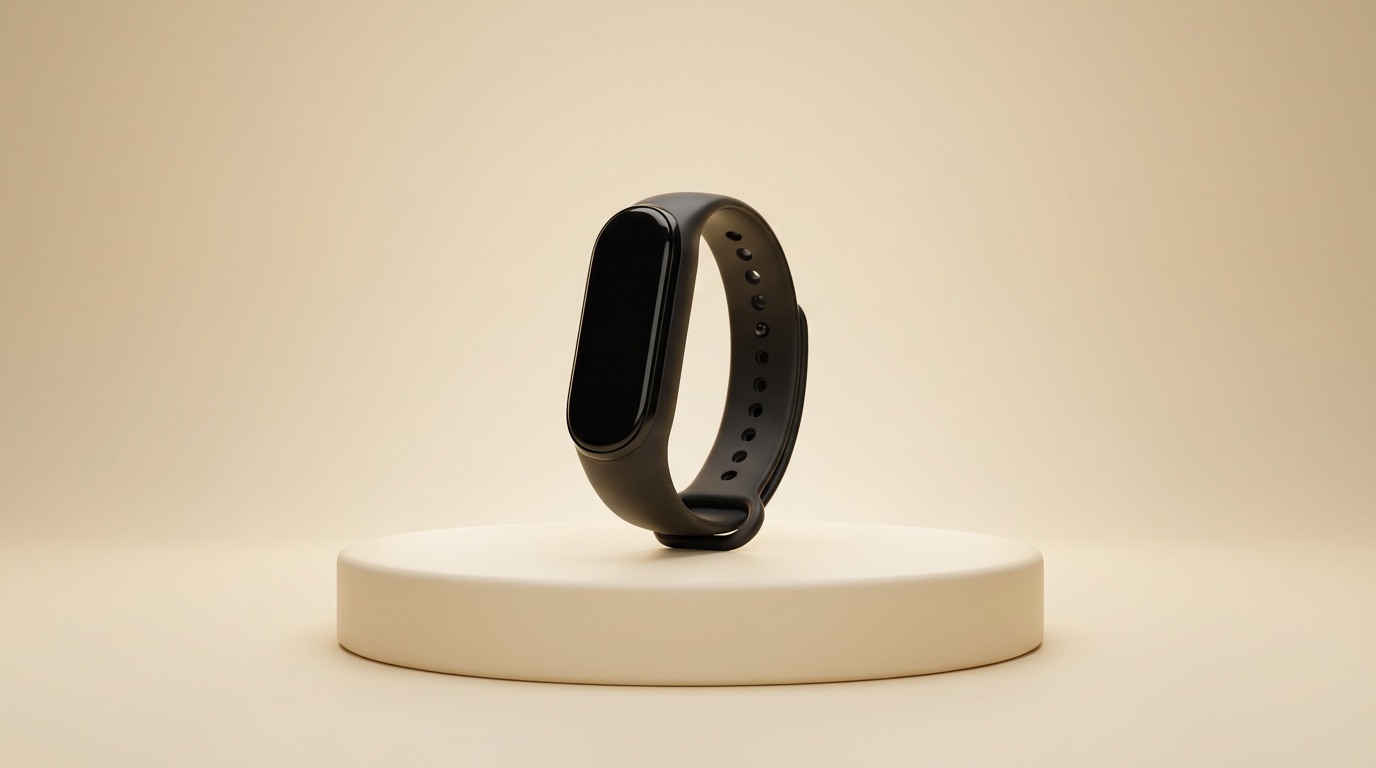
The left image is a rough Nano Banana 2 draft. The right image is the Nano Banana Pro revision generated through AnyCap from that source asset.
Edit prompt used with AnyCap
replace the cluttered desk with a warm cream studio gradient and a minimal pedestal, center the wearable device, add soft rim light and cleaner composition, preserve the device shape, make it look launch-ready, premium product marketing photo, no text, no watermarkWhen agents should choose Nano Banana Pro
- Revise an existing image with a text instruction
- Adjust lighting, composition, or background without rebuilding the asset
- Keep the original and revised files together for review
- Start from an input image instead of a blank prompt
Call Nano Banana Pro through AnyCap
Check the current editing schema
anycap image models nano-banana-pro schema --operation generate --mode image-to-imageEdit an existing image
anycap image generate --model nano-banana-pro --mode image-to-image --prompt "Replace the background with warm studio light; preserve the subject" --param images=./input.png -o revised.pngRetry an existing output download
anycap download "<returned-output-url>" -o revised.pngWorkflow tradeoffs
Choose Nano Banana Pro
For the reference-image workflow shown here, keep the input file and ask for a specific change. Review the output against that reference.
Compare with Seedream 5
Both models expose text-to-image and image-to-image through AnyCap. Compare the same brief or reference, current request limits and actual charges before choosing.
Nano Banana Pro vs nearby choices
| Dimension | Nano Banana Pro | Alternative |
|---|---|---|
| Input modes | Text-to-image and image-to-image | Seedream 5 also exposes both modes |
| Reference-image limit | Up to nine images in the checked AnyCap editing schema | Seedream 5's checked editing schema also allows up to nine images |
| Resolution settings | 1k, 2k and 4k in the checked AnyCap schema | Seedream 5 exposes 2k and 4k; inspect each model's current schema |
FAQ
What is Nano Banana Pro best for?
This guide uses it for reference-image editing. AnyCap also exposes text-to-image. Choose using the task, current schema, observed output and cost.
How do agents call Nano Banana Pro through AnyCap?
Use the AnyCap skill and CLI with your reference image and an edit instruction, or connect through the AnyCap API. Follow the image documentation for setup and supported inputs, then save and review the returned file.
Should I use Nano Banana Pro or Seedream 5?
Both support generation and editing in AnyCap. Compare a single matching request, current resolution and reference limits, and the actual returned charge. The example pair does not establish a universal model ranking.
From a reference image to a reviewed edit
Keep the original
Choose the reference image you want to revise. Save an untouched copy so you can compare the product details after editing.
Request one specific change
Describe the background, lighting or composition change, and name the details that must remain. Confirm current pricing before generating a revision.
Save and compare both versions
Open the returned image and compare it with the original. Check the subject outline, framing and unwanted text, then review the actual charge before requesting another variant.
If an output was returned but saving failed, download that same output again. If submission timed out and its result is unknown, check the recorded request before submitting another billed generation.
For API access, create an AnyCap key. Check pricing before generating, and follow the image documentation for setup, reference inputs and file delivery.
Check cost, inputs and the delivered file
The production catalog and editing schema were checked on October 12, 2026. They expose an active nano-banana-pro model, up to nine reference images, 1k/2k/4k resolutions and PNG/JPG/WebP formats. A schema response is not a price quote.
The before-and-after pair is an existing published example. It illustrates one revision without establishing a current speed or cost benchmark. Keep both files and review the result before using it.
Edit one reference image with Nano Banana Pro
A revised.png file from your own ./input.png reference. Compare it with the original before requesting more variants.
Install the CLI and sign in once. If you are already configured, continue with the access and cost checks.
curl -fsSL https://anycap.ai/install.sh | sh
anycap login
anycap --version
anycap statusRun anycap status, inspect the current model schema, and check pricing and your balance. Generation is billed; model access and rates can change.
anycap image models nano-banana-pro schema --operation generate --mode image-to-imagePlace your reference at ./input.png or replace that path with your own file.
Run this command after checking the schema and cost. Inspect the delivered file and actual charge.
anycap image generate --model nano-banana-pro --mode image-to-image --prompt "Replace the background with warm studio light; preserve the subject" --param images=./input.png -o revised.pngSuccess means the output file exists and can be opened. Compare it with your brief or reference, including dimensions, subject details and unwanted text. If generation returned an output URL but saving failed, retry downloading that output before requesting another image.
Read the related workflow. For setup help, see installation and login.
CLI version and updating · 0.6.5
Current release checked October 21, 2026: 0.6.5. Use the update command for your installation method, then verify the version and login in the same environment that runs your agent.
Direct binary installation
anycap updatenpm installation
npm install -g @anycap/cli@latestanycap --version
anycap statusVersion 0.6.5 retries transient downloads, recovers an expired video link by querying the same task, and saves multiple image outputs to numbered files. After a video download failure, resume the existing task instead of generating again.
anycap video tasks wait <task-id> -o result.mp4Dated examples retain the CLI version, output and charge from the original run. Updating the CLI does not revalidate an old result. Check the live model schema and current pricing before a new billed task.