Kling 3.0 Motion Control · By AnyCap Team · Updated October 23, 2026
Replace a dancer with a character using Kling Motion Control
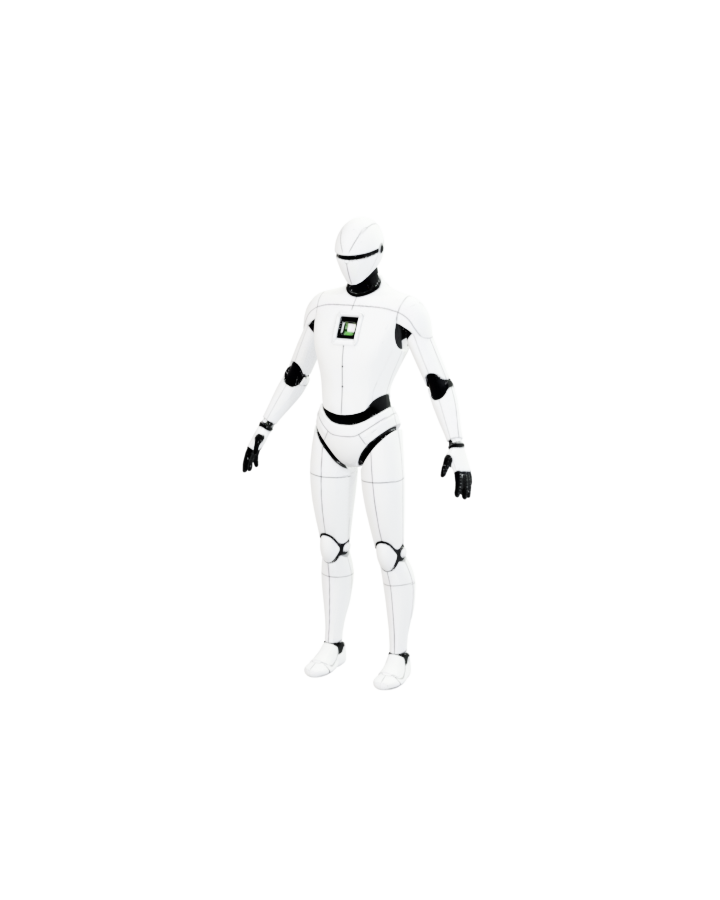
Give Kling one full-body character image and one motion-reference video. In our production test, both orientation modes replaced the dancer with AnyCap's white robot and followed the six-second dance, but the character image also controlled the output framing and background.
The test uses one dance and one replacement character
We held the prompt, character image, six-second dance clip, sound setting and requested quality constant. Only character_orientation changed.
The motion reference is an excerpt from “Video of a Man Dancing” by Antoni Shkraba on Pexels. The source page marks it as free under the Pexels license.
Save these inputs as robot.png and dance-reference.mp4 in the directory where you run the command. These are the original inputs; the generated examples below are outputs, not motion references.
Shared prompt
Replace the dancer with the supplied white humanoid robot while preserving the full-body dance motion, limb timing, foot placement, and clean studio composition.Both modes replace the dancer; orientation changes the pose interpretation
These are the delivered production files, shown without retouching. Each successful task reported 23 credits.
| Setting | What we observed |
|---|---|
| image | The robot's supplied body orientation stayed more prominent while the result followed the dance sequence. |
| video | The result followed the dancer's changing body orientation more strongly while retaining the robot identity. |
| Shared result | Both outputs transferred the full-body dance and replaced the human with the robot. |
| Shared framing | Both outputs inherited the portrait character composition and black background instead of the 1280 × 720 white studio frame. |
This is one paired test, not a general quality benchmark. Motion transfer is stochastic, so another run may differ.
The outputs preserve recognizable arm, leg and torso movement across the sampled sequence. Fast limb crossings and feet remain the areas to inspect most closely before production use.
Choose orientation from the result you need
- Start with image when the replacement character's supplied pose and facing direction should have more influence.
- Start with video when the source performer's changing body direction should drive the result more closely.
- Run a short excerpt before a long sequence. Review identity, hands, feet, occlusion and background before scaling.
- Use a full-body character image with visible limbs. The character image can affect framing and background as well as identity.
Inspect the current production contract
anycap video models kling-3-motion-control schema --operation generateMotion control or image-to-video?
| Starting material | Choose | Reason |
|---|---|---|
| A character image and a performance to follow | Motion control | The reference video supplies the movement; the character image supplies the replacement appearance. |
| A still image and a written motion brief | Image-to-video | Use a generation model when you do not have a performance reference. |
| Only a written scene description | Text-to-video | Start with a generation workflow rather than this two-input motion-transfer test. |
Reproduce the paired test with AnyCap CLI
Save the character image as robot.png and a short full-body motion clip as dance-reference.mp4. Check your balance and current schema before submitting; generation is billed.
- Check anycap --version and anycap status in this terminal. If authentication is missing, run anycap login and check status again. Browser sign-in alone does not authenticate the CLI.
- Check your dashboard balance and current pricing before submitting. The recorded six-second test cost 23 credits per run; the two commands below are separately billed requests, not a free comparison.
- Start with one orientation. Keep the whole character and the dancer's limbs visible; review a short clip before trying a long sequence.
Follow the character image orientation
anycap video generate \
  --model kling-3-motion-control --mode motion-control \
  --prompt "Replace the dancer with the supplied white humanoid robot while preserving the full-body dance motion, limb timing, foot placement, and clean studio composition." \
  --param images=./robot.png \
  --param videos=./dance-reference.mp4 \
  --param character_orientation=image \
  --param keep_original_sound=false \
--param resolution=720p -o motion-image.mp4Follow the motion video orientation
anycap video generate \
  --model kling-3-motion-control --mode motion-control \
  --prompt "Replace the dancer with the supplied white humanoid robot while preserving the full-body dance motion, limb timing, foot placement, and clean studio composition." \
  --param images=./robot.png \
  --param videos=./dance-reference.mp4 \
  --param character_orientation=video \
  --param keep_original_sound=false \
--param resolution=720p -o motion-video.mp4Find the file, or resume the same task
A successful command saves motion-image.mp4 or motion-video.mp4 to the directory where you ran it. Open that local file and review identity, hands, feet and the background before using it.
If the command returns a task_id while the video is still running, retain that ID and resume the existing task. A terminal timeout does not establish that generation failed. Do not submit another paid generation merely to check progress.
Use the task ID actually returned by your request in the command below. If generation succeeded but download failed, retain the CLI's recovery instructions and retry delivery of that task before considering a new generation.
If validation rejects an input, inspect the live schema and correct the named parameter. This test establishes one image plus one video, not support for multiple dancers, arbitrary clip lengths, or unchanged scenery.
Resume your existing video task
anycap video tasks wait YOUR_TASK_ID -o motion-image.mp4What this test proves, and what it does not
| Evidence | Scope |
|---|---|
| Availability | Production Discovery returned kling-3-motion-control as active on October 21, 2026. |
| Inputs | The live schema accepts exactly one image and exactly one video for motion-control. |
| Output quality | The request used the 720p quality option. The delivered portrait files were 848 × 1072, so 720p should not be read as a fixed 1280 × 720 canvas. |
| Sound | Both tests set keep_original_sound=false. This page does not test audio preservation. |
| Cost | Each completed six-second request reported 23 credits; 46 credits total. This is an observed charge, not a permanent price quote. |
| Repeatability | One run per orientation demonstrates a working path but does not establish average latency, failure rate or universal quality. |
CLI version and updating · 0.6.5
Current release checked October 21, 2026: 0.6.5. Use the update command for your installation method, then verify the version and login in the same environment that runs your agent.
Direct binary installation
anycap updatenpm installation
npm install -g @anycap/cli@latestanycap --version
anycap statusVersion 0.6.5 retries transient downloads, recovers an expired video link by querying the same task, and saves multiple image outputs to numbered files. After a video download failure, resume the existing task instead of generating again.
anycap video tasks wait <task-id> -o result.mp4Dated examples retain the CLI version, output and charge from the original run. Updating the CLI does not revalidate an old result. Check the live model schema and current pricing before a new billed task.